Inspect the Source
Point Soundgrab at a link from most web sources. It probes the available audio streams and surfaces the source metadata—title, duration, codec, bitrate, and sample rate—so you know exactly what you're pulling before you commit.
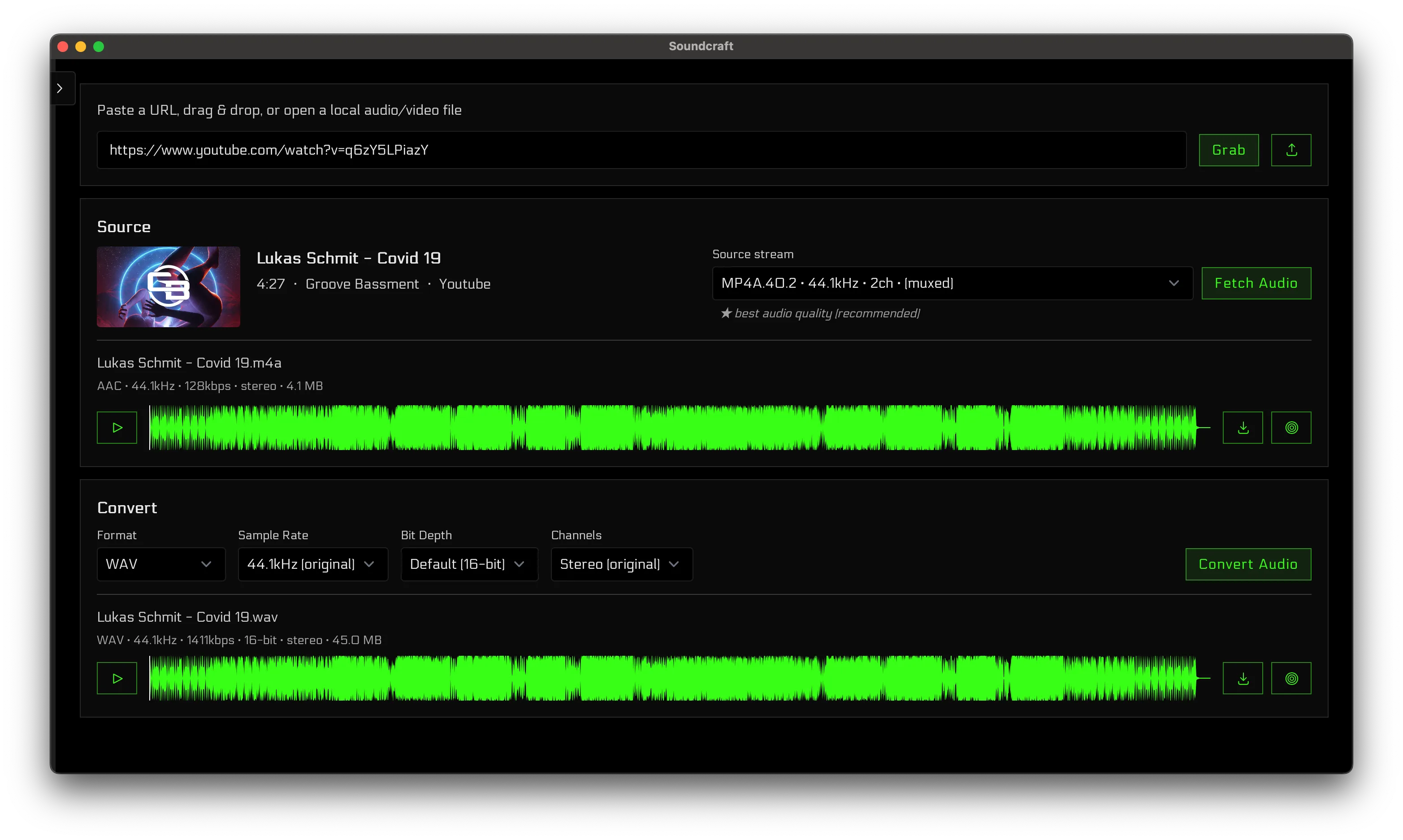
Sample audio from most web sources in maximum quality. Analyze with integrated tools and export to any format.
Point Soundgrab at a link from most web sources. It probes the available audio streams and surfaces the source metadata—title, duration, codec, bitrate, and sample rate—so you know exactly what you're pulling before you commit.
Export to WAV, FLAC, MP3, AAC (M4A), Opus, or OGG Vorbis. Soundgrab always pulls the highest-quality stream available and highlights the source's original format, so you can keep it lossless or transcode deliberately—never an accidental quality downgrade.
Audition the sampled audio on a full waveform player before saving—confirm it's the take and the quality you want.
One click files the audio into your SampleMesh library—right alongside the sounds you create with Maestro, our AI sample generator—organized and ready to drop into your next project.
Soundgrab is intended for personal use with content you have the right to download. Soundcraft is not responsible for how this tool is used and does not endorse copyright infringement.