
Soundgrab: Import Audio Into Your SampleMesh Library
Bring high-quality audio from any web source into your Soundcraft sample library. Pick your format, preview, and save to SampleMesh. Free in the desktop app.
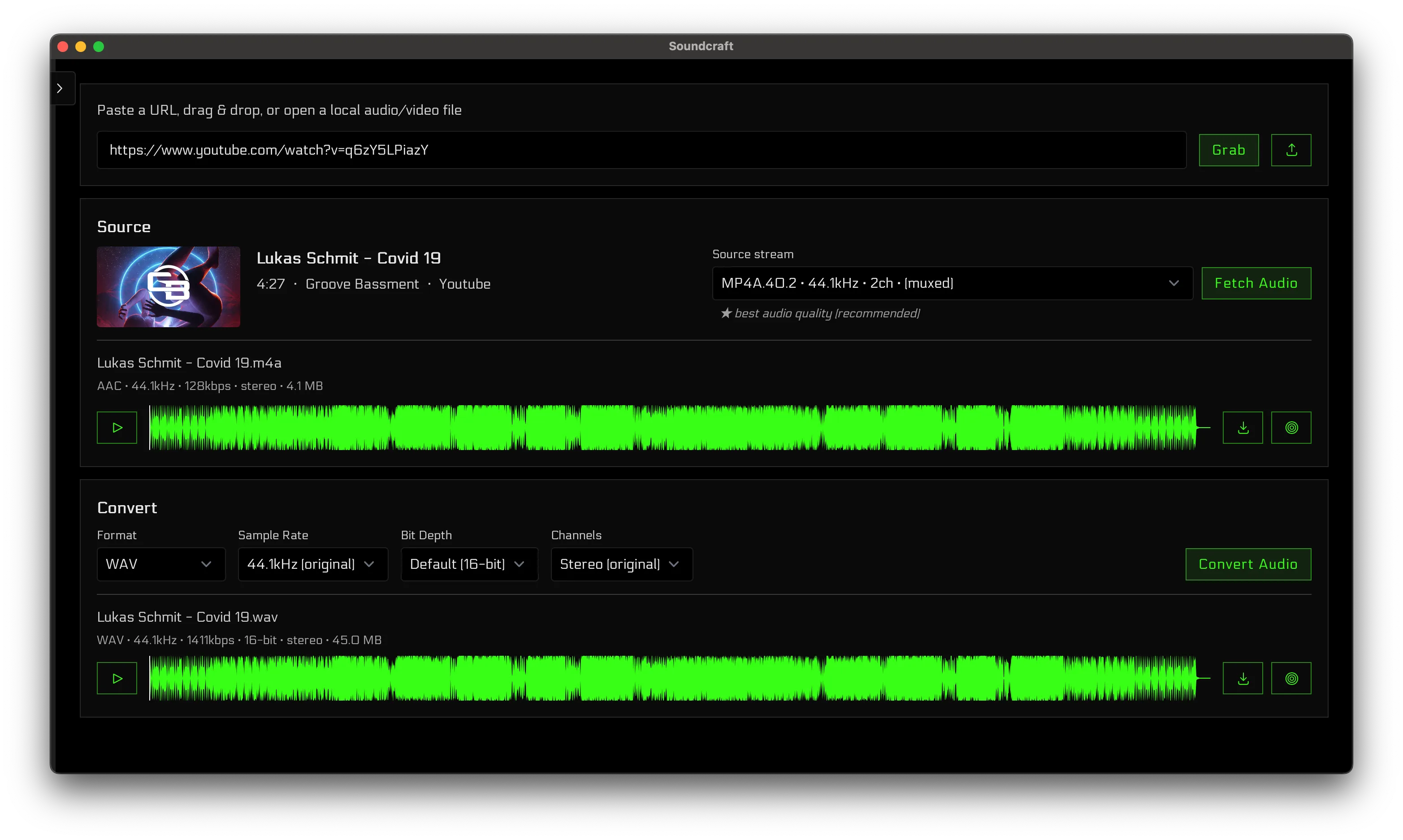
Today we launched Soundgrab: audio sampling built into the Soundcraft desktop app. Point it at most web sources, inspect the source streams, pick your output format, and save maximum-quality audio straight into your SampleMesh sample library. Free in the desktop app.
Download the Soundcraft desktop app for Mac and Windows to use Soundgrab.
Supported Sources & Formats
Sources: most web media sources. Soundgrab probes the available audio streams and shows you title, duration, codec, bitrate, and sample rate before you save—so you always know exactly what you're pulling.
Output formats: WAV, FLAC, MP3, AAC (M4A), Opus, and OGG Vorbis. The original source format is highlighted, so you can keep it lossless or transcode deliberately—Soundgrab always pulls the highest-quality stream available, never an accidental quality downgrade.
How It Works
Inspect the source → Point Soundgrab at a link from most web sources. It probes the streams and displays source metadata—codec, bitrate, and sample rate.
Choose your format → WAV, FLAC, MP3, AAC, Opus, or OGG Vorbis. Save to disk or add to your SampleMesh library in one click.
Preview & listen → Audition the sampled audio with a full waveform player before saving. Make sure it's exactly what you need.
Save to your library → One click files the audio into your SampleMesh library, organized and ready for your next project.
Soundgrab is desktop-only (Mac and Windows). It’s intended for personal use with content you have the right to use.
Enjoy!
The Soundcraft Team